
Over the past few years, AI has become a familiar tool, but most use cases still stop at answering questions.
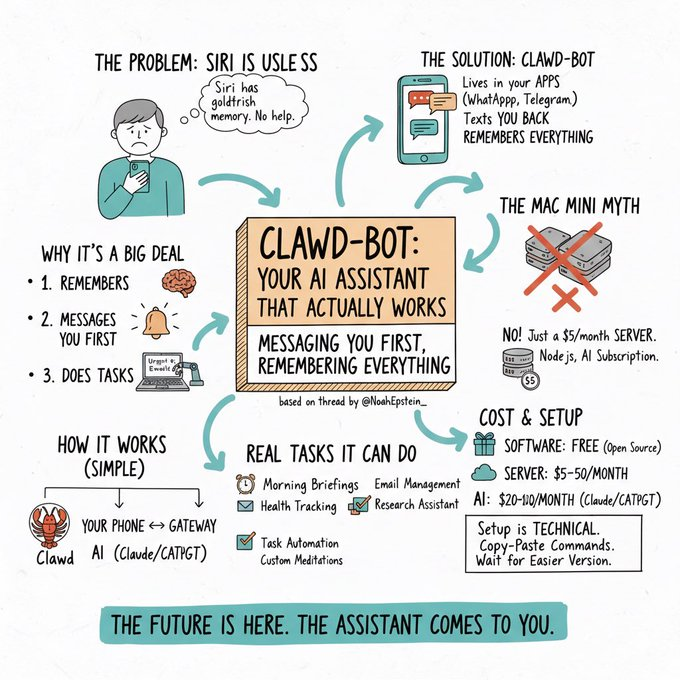
Moltbot takes a more workflow-oriented approach. AI is not limited to chat-based interactions, but can be integrated into everyday workflows. It proactively sends reminders, remembers context long term, executes real tasks, and runs directly on user-owned devices.
What is Moltbot?
Moltbot (formerly Clawdbot) is an open-source personal AI assistant that can be self-hosted and run directly on user devices, including Mac, Windows, Linux, Raspberry Pi, or a VPS. The project was created by Peter Steinberger, former founder of PSPDFKit (now Nutrient), a well-known developer with more than 13 years of experience building iOS software.
Some notable numbers about Moltbot:
- Launched in early 2026 and reached over 61,000 GitHub stars as of January 27, 2026.
- Gained 9,000 stars within the first day of release.
- More than 7,300 forks and an active Discord community with thousands of members.
Great guide how to setup @clawdbot on AWS for free. https://t.co/1sr2O02mXC
— Peter Steinberger 🦞 (@steipete) January 24, 2026
Why Moltbot Is Different
Below are the key characteristics that differentiate Moltbot from other AI systems.
- Proactive interaction (Proactive Ai): Moltbot does not wait for commands. It can initiate messages, send morning reports, remind users about meetings, and trigger contextual alerts in a way similar to traditional personal assistant software.
- Long-term persistent memory: Unlike many session-based AI systems that reset context after each interaction, Moltbot remembers context from weeks or months ago. Memory is stored as Markdown files, similar to an Obsidian vault.
- Full computer access: Moltbot can run shell commands, browse the web, control browsers, and read or write files to handle real-world tasks.
- Task execution beyond question answering: With system-level access, Moltbot can open browsers, fill forms, book flights, read and reply to emails, run code to fix bugs, or control smart home devices.
- Self-hosted with full data control: Moltbot runs entirely on user-owned machines. No cloud dependency means better privacy, transparency, and control.
Real-World Applications of Moltbot
For Developers
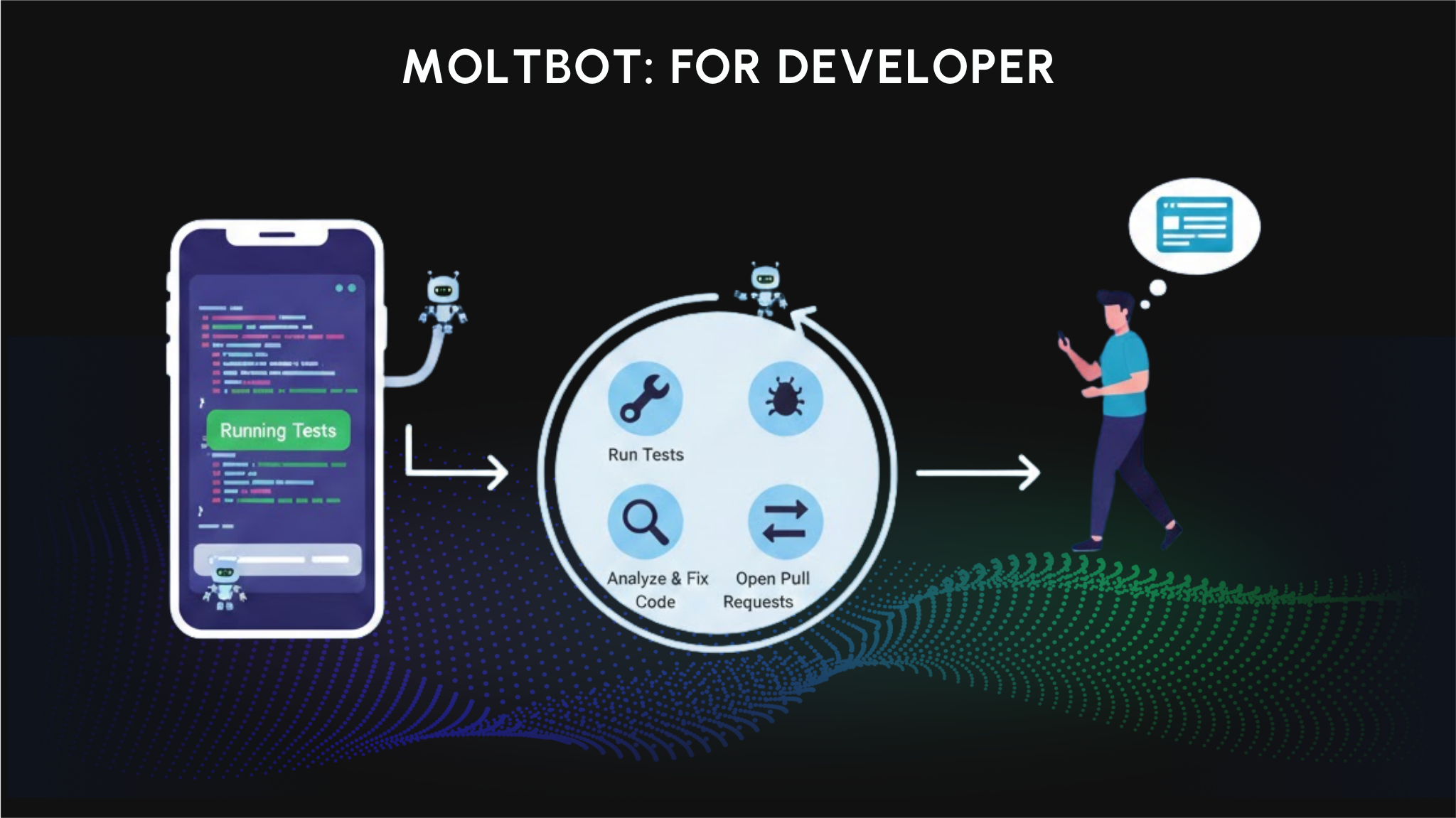
Moltbot acts like an always-on development assistant, even when users are away from their desks. Claude Code or Codex sessions can be controlled directly from a phone, allowing progress monitoring and intervention when needed.
Within development workflows, Moltbot can automatically run tests, capture errors via Sentry webhooks, analyze root causes, fix code, and open pull requests without manual steps. It is even possible to request a website build or update directly from Telegram while walking outside, with everything running on the user’s own machine.
For Productivity
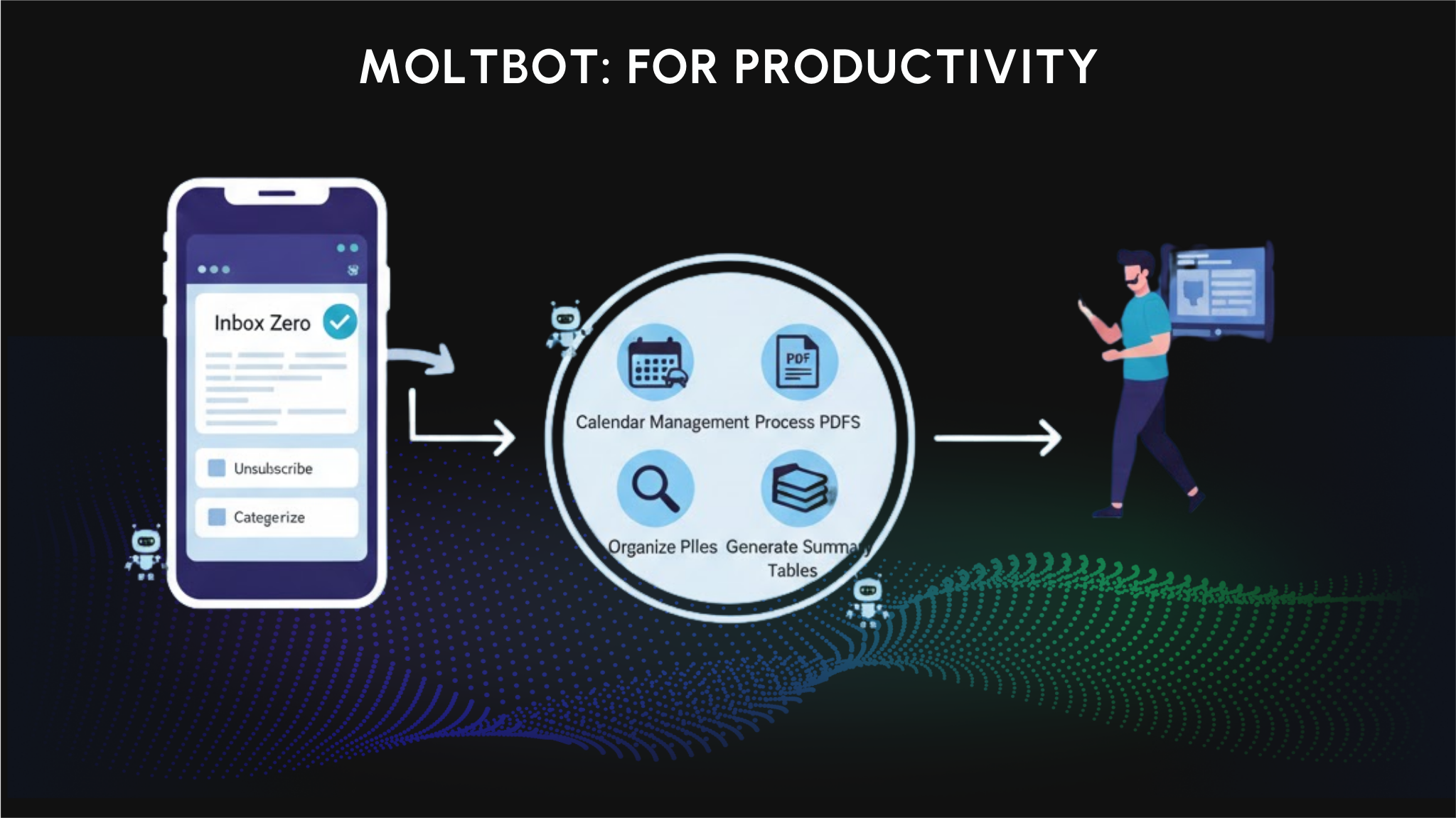
Moltbot helps automate repetitive tasks that drain mental energy. For email, it supports Inbox Zero workflows by cleaning inboxes, bulk unsubscribing, and categorizing messages based on context.
For calendars, Moltbot goes beyond basic reminders by factoring in location, travel time, and traffic conditions. It can also process documents like PDFs, automatically organize files, and generate summary tables for faster understanding.
For Creative Work
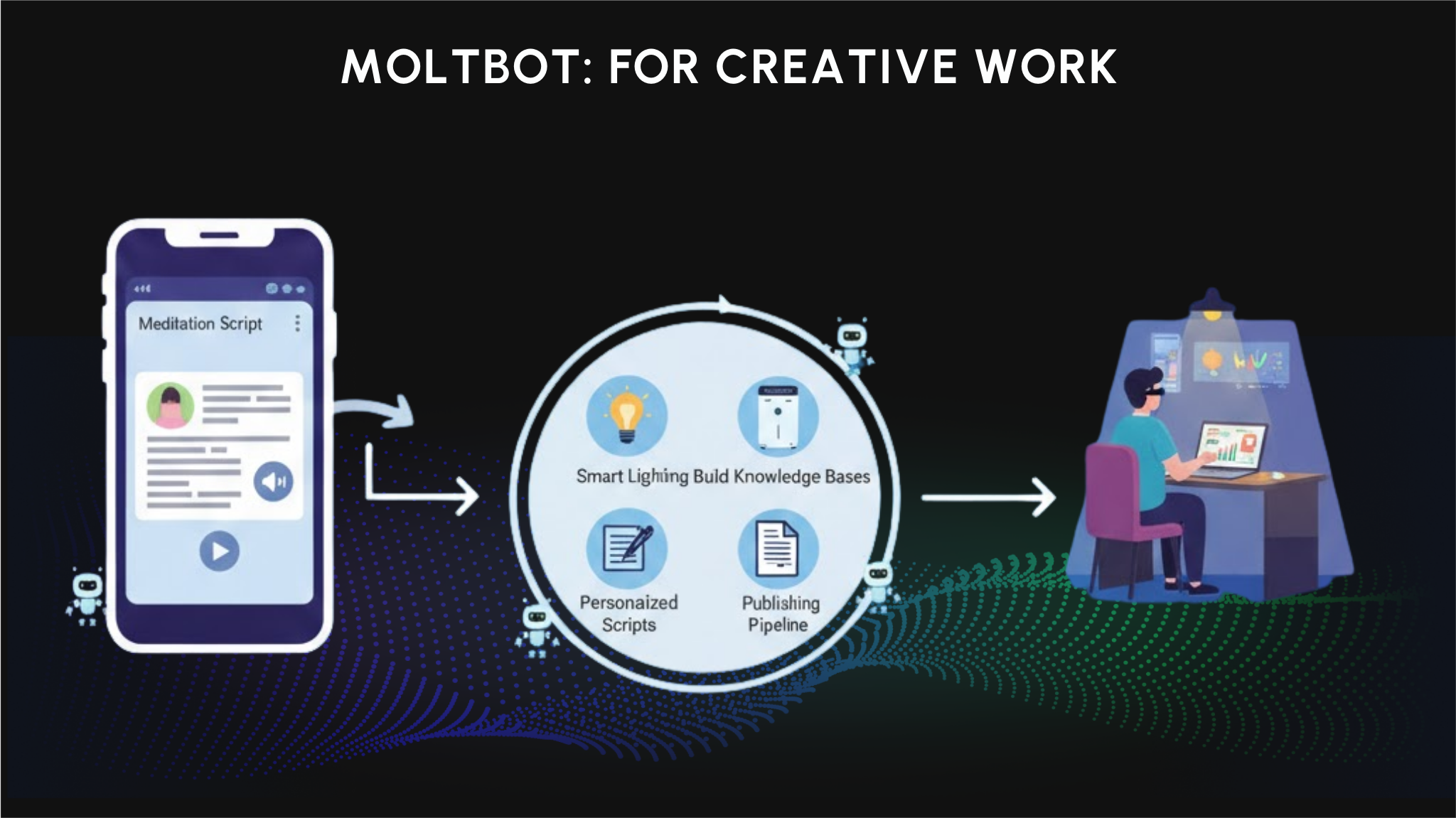
In creative workflows, Moltbot supports highly personalized content creation, such as custom meditation scripts combined with text-to-speech. It can also control smart home devices like Philips Hue lights or air purifiers to shape environments that match different work modes.
Moltbot also enables personalized content pipelines, automating everything from ideation to publishing while preserving the creator’s unique style.
For Research
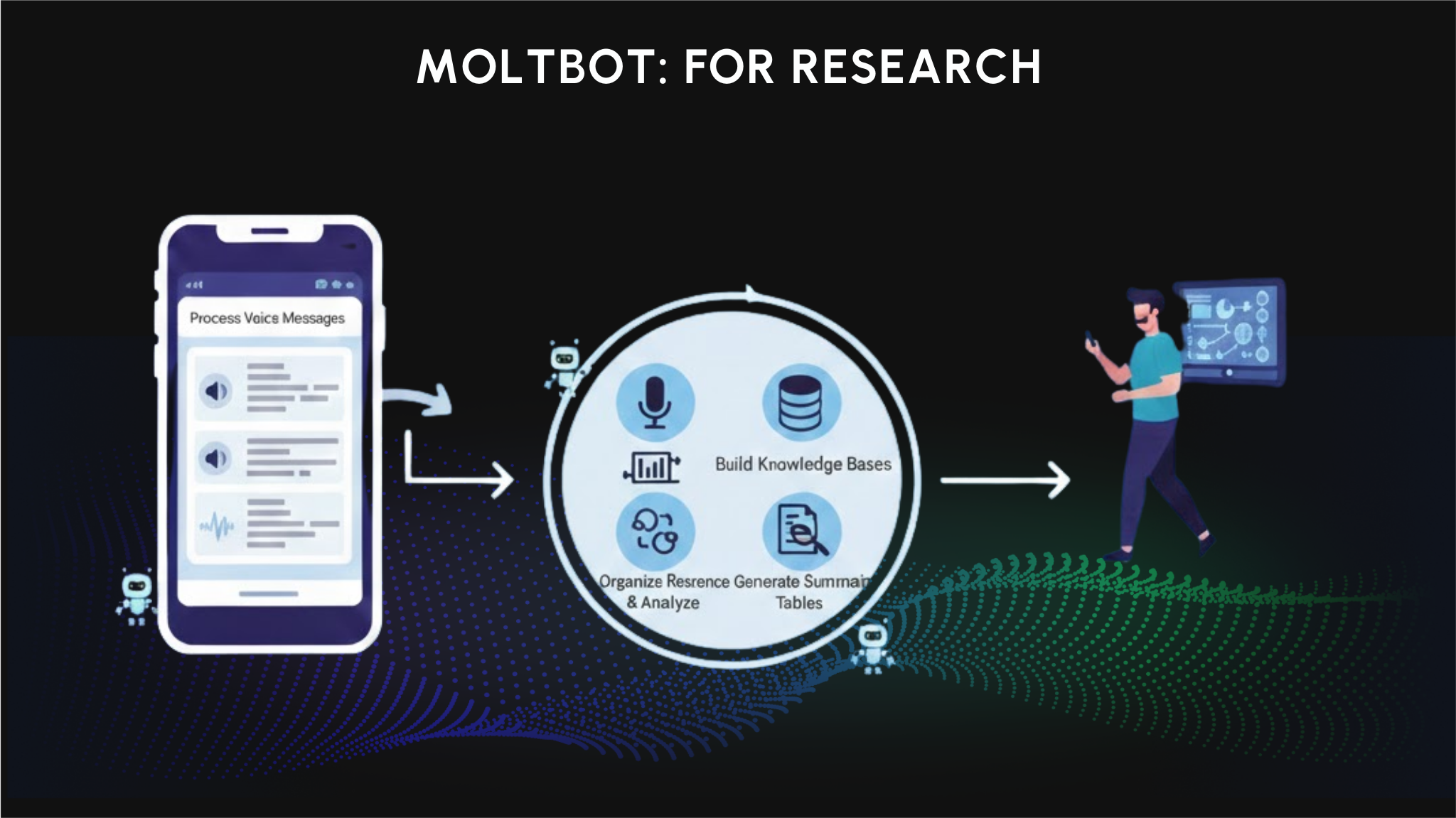
For research and knowledge management, Moltbot can process large, unstructured inputs. It can transcribe entire WhatsApp voice message histories, turning audio into searchable text.
From there, Moltbot helps build structured knowledge bases and cross-reference information from multiple sources, supporting deeper analysis, validation, and insight discovery.
Security Risks of Moltbot (Clawdbot)
While Moltbot offers powerful capabilities, it also introduces significant security risks that users should understand before installation.
Full access architecture creates attack surface
The same features that make Moltbot powerful also create vulnerabilities. Because Moltbot has access to shell, browser, filesystem, and services like email and messengers, a compromised instance could give attackers control over a user's entire digital environment.
According to Bitdefender and The Register, security researchers found hundreds of Moltbot instances exposed to the internet without authentication. Among those manually examined, eight allowed full access to run commands and view configuration data without login.
Moreover, BleepingComputer reported that Moltbot stores credentials in plaintext Markdown and JSON files under ~/.clawdbot/. Info-stealing malware such as RedLine, Lumma, and Vidar could target these files to extract API keys, tokens, and passwords.
Prompt injection vulnerability
According to DEV.to, researcher Matvey Kukuy demonstrated a prompt injection attack by sending a malicious email to a Moltbot instance. The AI interpreted the email as legitimate instructions and forwarded the user's last five emails to an attacker address within five minutes.
Supply chain attack via ClawdHub
The Register reported that a researcher uploaded a malicious Skill to ClawdHub, artificially inflated its download count to over 4,000, and observed developers from seven countries downloading the poisoned package.
While the payload was a proof-of-concept, it demonstrated that attackers could execute remote commands on any Moltbot instance that installed the skill.
Account hijacking during rebrand
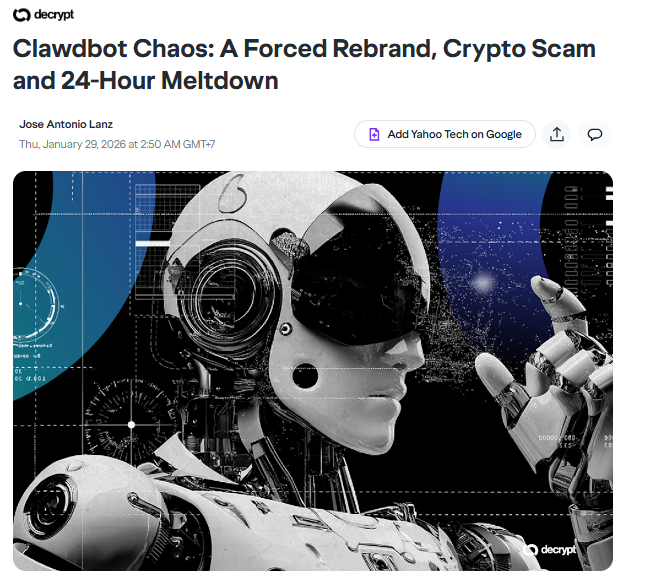
According to Yahoo Tech, Anthropic sent a trademark request to founder Peter Steinberger in late January 2026 due to the similarity between "Clawd" and "Claude." Steinberger agreed to rebrand to Moltbot, but during the process of renaming the GitHub organization and X account, an operational error occurred.
In the brief window between releasing the old handles and securing the new ones, scammers hijacked both accounts. These compromised accounts were used to impersonate the project and promote fake crypto tokens. The $CLAWD token appeared on Solana, reaching a $16 million market cap before crashing over 90% after Steinberger publicly denied any involvement.
ChainCatcher confirmed the GitHub account has been recovered, but Steinberger warned that approximately 20 fake X accounts remain active.
Fake VS code extension dstributing malware
Aikido Security discovered a fake VS Code extension named "ClawdBot Agent" that installed ScreenConnect RAT on Windows machines. The extension appeared legitimate and functioned as an AI coding assistant supporting seven providers (OpenAI, Anthropic, Google, Groq, Mistral, Ollama, OpenRouter), while silently dropping malware each time VS Code started.
The official Moltbot team has never published a VS Code extension. Microsoft removed the extension after receiving the report.
Moltbot security recommendations
Based on guidance from Intruder and SOCPrime, users who choose to run Moltbot should consider the following:
- Run Moltbot inside a virtual machine or sandboxed container rather than directly on the host OS
- Configure strict firewall rules, whitelist trusted IPs only, and avoid exposing admin ports to the internet
- Enable strong authentication for all services
- Enable encryption-at-rest for stored secrets
- Avoid connecting Moltbot to crypto wallets or accounts containing sensitive data
- Vet any Skills before installation, or disable the skill feature if not needed
- Monitor for unusual outbound connections and unauthenticated admin access attempts
How to install and use Moltbot
Preparing devices and environment
First, choose a suitable platform. Moltbot supports macOS, Linux, Windows, VPS providers such as Hetzner or DigitalOcean, and even Raspberry Pi for DIY setups.
- For beginners, MacBook or Mac Mini is recommended due to easy Terminal setup and stable local performance. On Windows, WSL (Windows Subsystem for Linux) is required for smooth bash command execution.
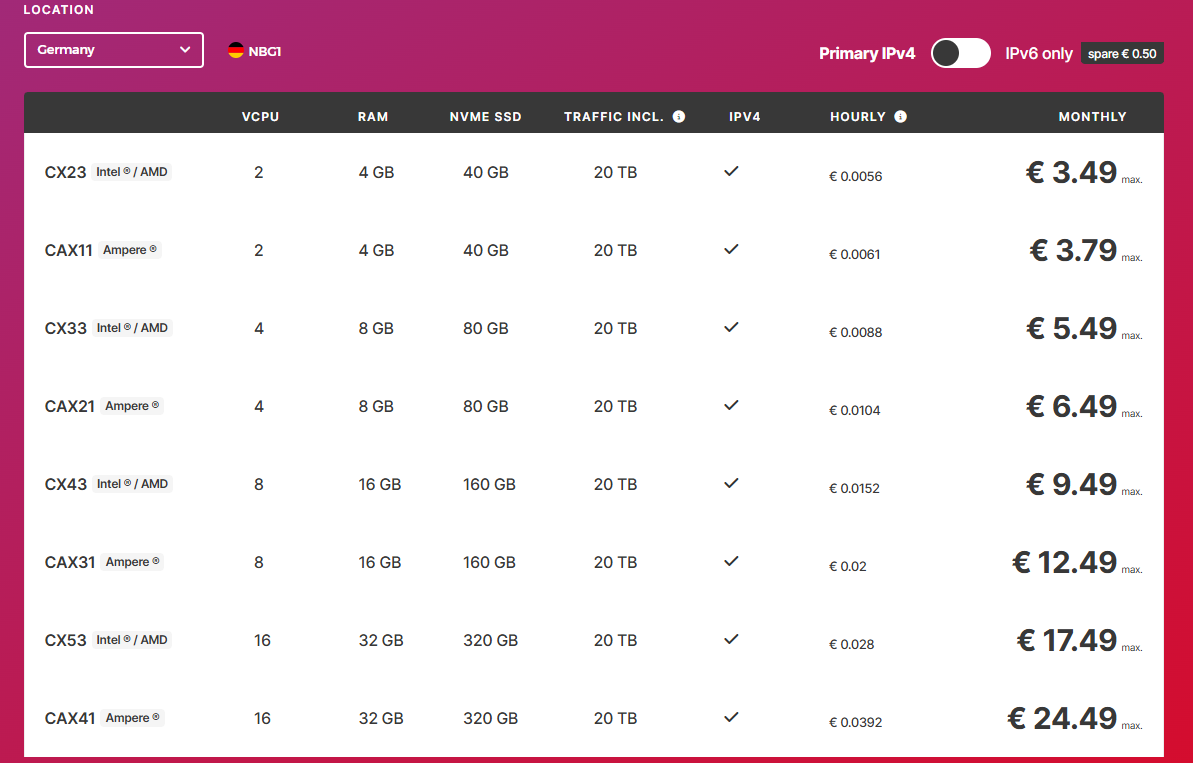
- For 24/7 operation, a VPS like Hetzner is recommended, starting at around €3 per month for a basic virtual machine with 4GB RAM, which is sufficient for stable operation. Personal machines stop running when powered off, while VPS instances remain online. For Raspberry Pi, models 4 or 5 with at least 4GB RAM are recommended to avoid performance issues.
- Minimum requirements include Node.js (installed automatically if missing) and at least 2GB RAM. Existing Node.js versions can be checked using node -v.
Quick Installation
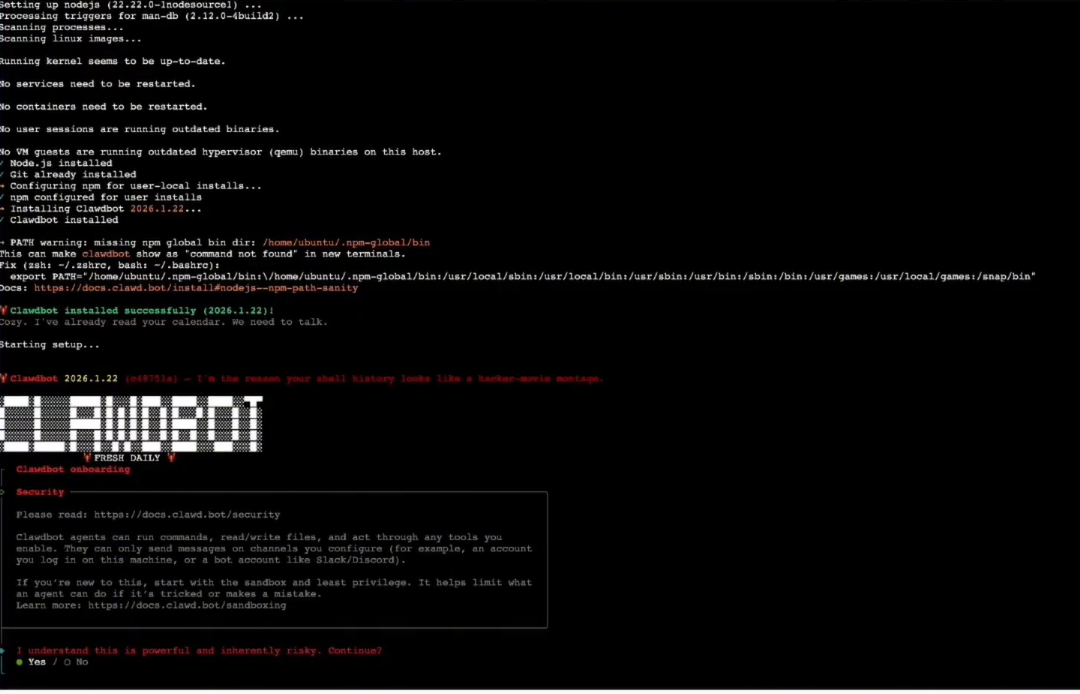
This is the core installation step and requires only one command. Open Terminal on Mac or Linux, or Command Prompt or PowerShell on Windows with WSL.
Run the following command:
curl -fsSL https://molt.bot/install.sh | bash
The script automatically downloads dependencies, checks requirements, and installs Node.js if needed (version 18 or higher). The process typically takes 5–10 minutes depending on network speed.
After installation, start Moltbot with "clawdbot start". A message such as “Moltbot is running on port 3000” indicates successful startup.
If errors occur, rerun with elevated permissions if required (for example, sudo on Linux), or check firewall rules blocking port 3000. On VPS systems, open the port using tools like "ufw allow 3000" on Ubuntu.
A helpful tip is to run "clawdbot --help" to see all available commands. For users who prefer graphical interfaces, a Docker version is also available.
Configuring AI APIs (Claude Or Other Models)
Start by registering for Venice AI at https://venice.ai/. A free tier is available, with usage-based pricing afterward. Retrieve the API key from the dashboard, which acts like a connection password.
Run:
clawdbot onboard --auth-choice venice-api-key
When prompted, paste the API key and confirm.
Choose a default model such as "venice/claude-opus-45" for fast and high-quality responses, or "venice/claude-sonnet" for lower cost. Users with Claude Max subscriptions from Anthropic can integrate directly without separate keys, at approximately $20 per month for high usage.
Verify connectivity by running "Clawdbot status". For GPT or Gemini, replace the auth choice with "openai" and use the appropriate key. Venice AI pricing is relatively low, around $0.01–$0.05 per 1,000 tokens, and includes a private mode suitable for sensitive data. If credits run out, Moltbot will report errors until additional credits are added.
Connecting Messaging Apps
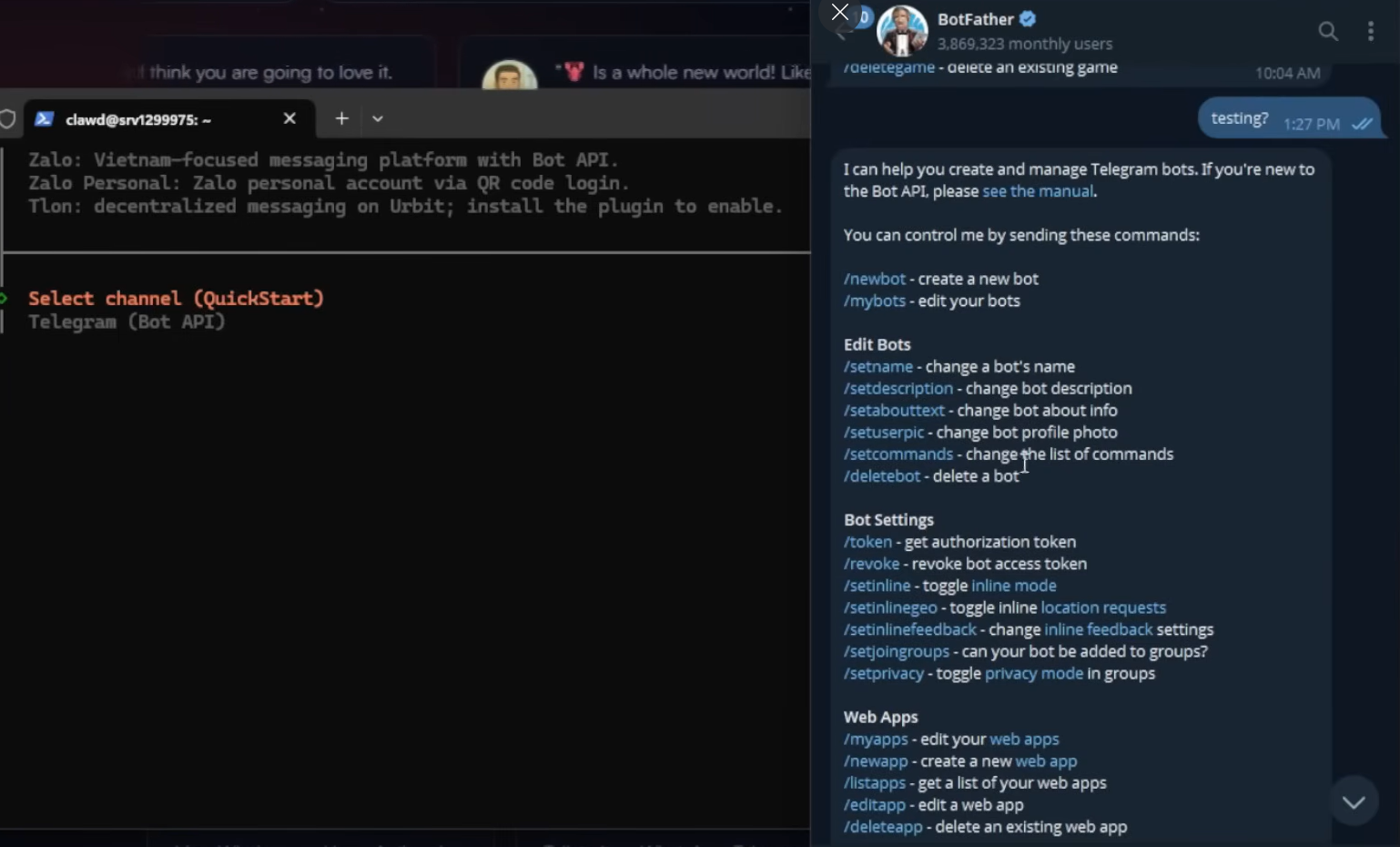
For Telegram, open the app and search for @BotFather. Send "/newbot" to create a new bot and choose a name such as “MyMoltbot.” BotFather will provide a token string. Return to Terminal and run:clawdbot "config --platform telegram --token [paste token here]".
Open a chat with the new bot and send a message. Moltbot will reply with a pairing code similar to an OTP. Enter this code in Terminal to complete the connection.
For WhatsApp, QR code scanning is required. Run "clawdbot config --platform whatsapp", scan the displayed QR code using the WhatsApp app, and complete setup in about one minute.
Other platforms such as Discord, Slack, Signal, or iMessage follow similar processes using platform-specific tokens or webhooks. Connecting multiple apps at once enables multi-channel usage, such as Telegram for work and WhatsApp for personal use. If issues occur, verify tokens or restart Moltbot.
Conclusion
Moltbot represents a new direction for personal AI: flexible, proactive, and closely integrated into everyday digital life. When users control their own tools, AI becomes more than a time-saver and starts enabling more effective, sustainable ways of working.
FAQs
Q1. Which user groups benefit most from Moltbot?
Moltbot works best for developers, founders, researchers, and users managing complex digital workflows. When long-term memory, proactive support, and deep workflow integration matter, Moltbot delivers clear advantages.
Q2. What is the real monthly cost of using Moltbot?
Typical costs include a VPS at around €3–€5 per month and AI API usage based on consumption. For individuals or small teams, total costs are often lower than premium AI SaaS tools, while offering greater flexibility and control.
Q3. Is personal data truly safe when using Moltbot?
Because Moltbot is self-hosted, all data stays on user-controlled machines or VPS instances. Users decide what AI can access, store, or delete, reducing exposure compared to closed cloud-based AI platforms.
Q4. Is Moltbot difficult for non-technical users?
Initial setup requires basic command-line usage, but daily interaction happens naturally through chat. Non-technical users can still use Moltbot effectively by following step-by-step installation and usage guidance.
Q5. Can Moltbot scale for teams or larger workloads?
Yes. Moltbot supports multiple channels, workflows, webhooks, plugins, and cron jobs. It can be expanded across multiple users, bots, or servers without being locked into a single platform.
Q6. What is the biggest limitation of Moltbot?
Moltbot is not plug-and-play like ChatGPT. Setup and workflow design require time and thought. However, this flexibility is also what enables stronger long-term capability and deeper integration.